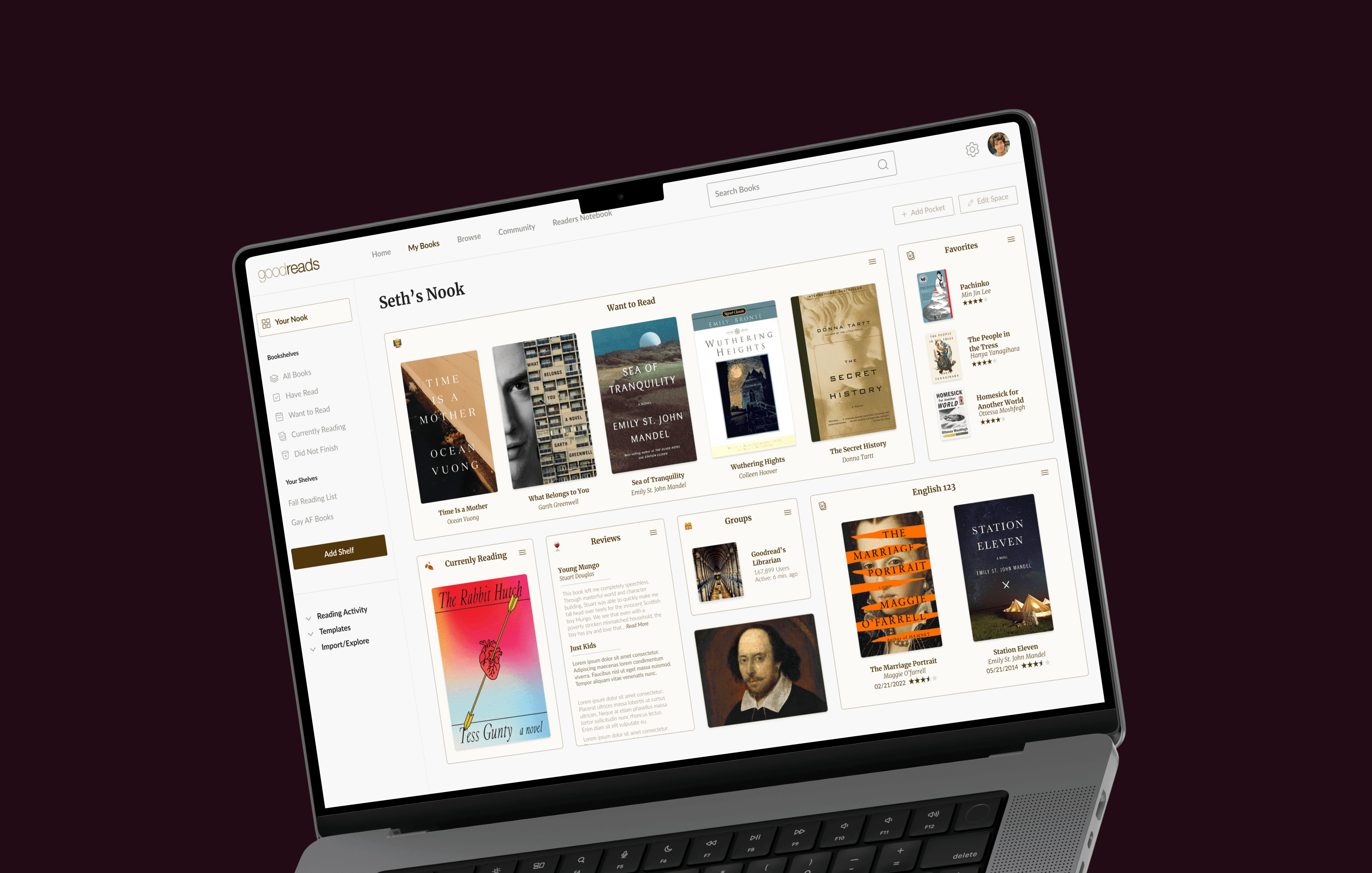
Redesigning Goodreads to help users rediscover the joy of reading through personalized digital book organization and reflection.
Overview
Goodreads is a long-established platform where readers track books, write reviews, and connect with others. However, as social platforms have become the primary space for discovering books, Goodreads has gradually lost its distinctive role in users’ daily reading habits.
This project explores how Goodreads could evolve to attract new users and re-engage its existing community through a more personalized and emotionally engaging reading experience.
The Challenge
Despite its strong community and extensive book database, Goodreads currently faces several challenges. Its outdated interface, lack of personalization, and declining trust in the review system have weakened overall user engagement.
As users increasingly rely on Instagram, TikTok, and YouTube for book discovery, Goodreads risks losing its original value as a central hub for readers.
PROJECT TYPE
Academic Project
ROLE
Visual Lead
UX Designer
SERVICE
Web Platform
DURATION
10 weeks (2022)
RESEARCH & INSIGHTS
Research at a Glance
Survey: 63 participants
Interviews : 11 book lovers
Reading Discovery Has Shifted Away from Goodreads
To understand current reading behaviors and perceptions of Goodreads, we conducted a survey followed by in-depth interviews with active readers.
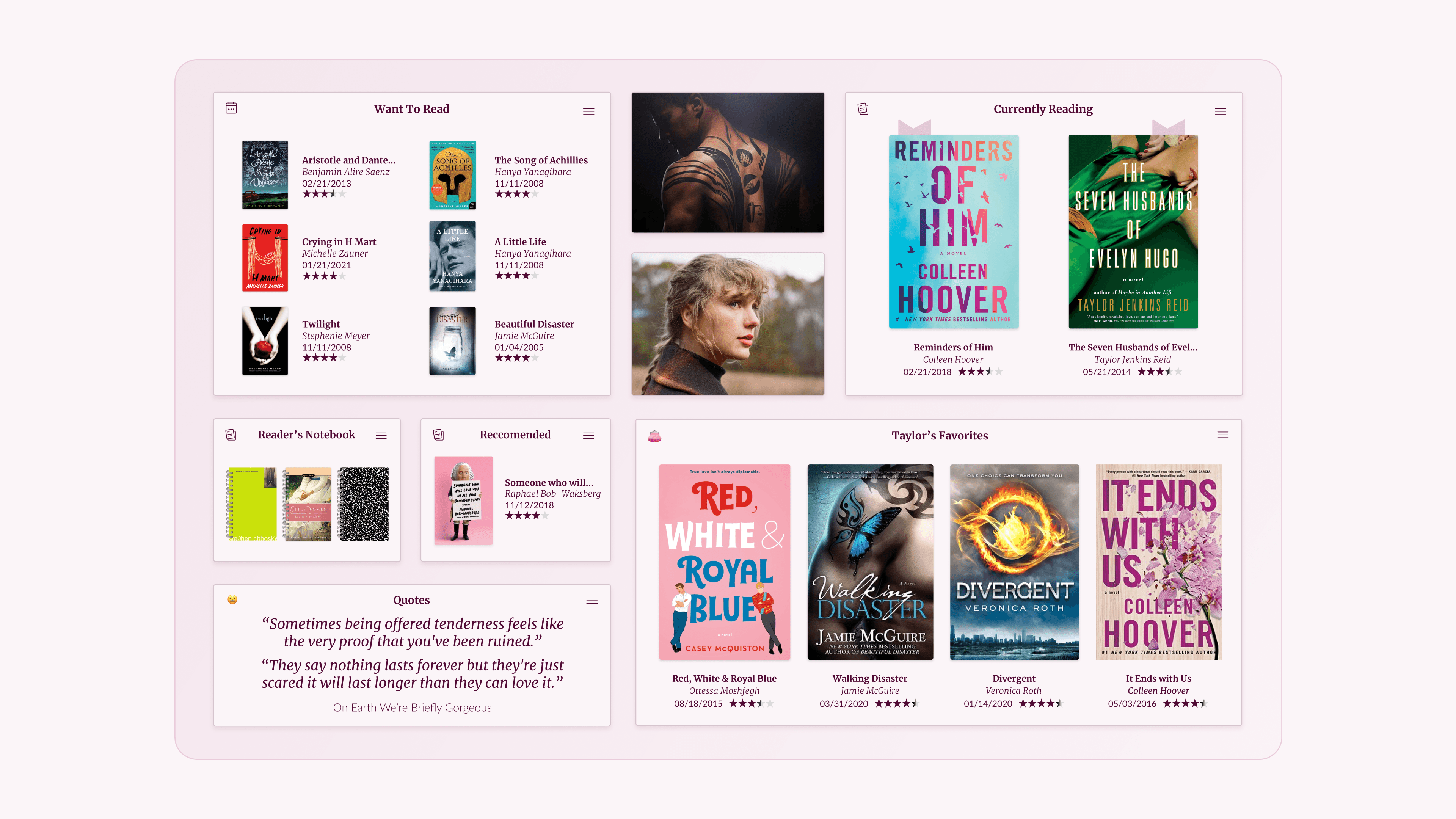
More than 50% of respondents now use social media as their primary source for discovering books, indicating that Goodreads has lost much of its influence in the discovery stage. However, most users still expressed strong interest in reading and a desire to read more, showing that motivation for reading remains strong.
The most valued feature among remaining users was the book list and record-keeping function. Over 60% of respondents cited their existing book lists as the main reason they continue to use Goodreads.
Key Reasons for Drop-off
At the same time, the key reasons users stopped using Goodreads were:
Unreliable book ratings
Outdated visual design
Research Insight
Goodreads’ greatest strength lies in its book list and record-keeping system, while its weakest points are trust in reviews and declining visual relevance.
Organizing, Recording, and Reading Habits
To gain deeper insights, we conducted 11 interviews with book lovers who had prior experience using Goodreads.
Through these interviews, we learned that users strongly value organizing and documenting their reading as part of their daily routine. Many described the act of recording and organizing as something that brings both satisfaction and a sense of accomplishment.
However, users also expressed that the process can sometimes feel overwhelming and requires external support through tools or apps.

Interestingly, many users still rely heavily on physical tools such as notebooks, sticky notes, pens, and highlighters to record reflections after reading. More than half of the interviewees also stated that they prefer physical books over e-books, often using their bookshelves as visual records of their reading history.
CONCEPT & DESIGN DECISIONS
Defining the Design Direction
How might we help users organize and document their reading in a way that feels both easy and enjoyable?
How might we translate the emotional and physical aspects of reading into a digital experience?
Based on our research insights, we defined two core design directions:
Enable personalized reading experiences
Mirror physical reading behaviors digitally
These directions guided the development of our two main concepts: Book Nook and Scrapbook.
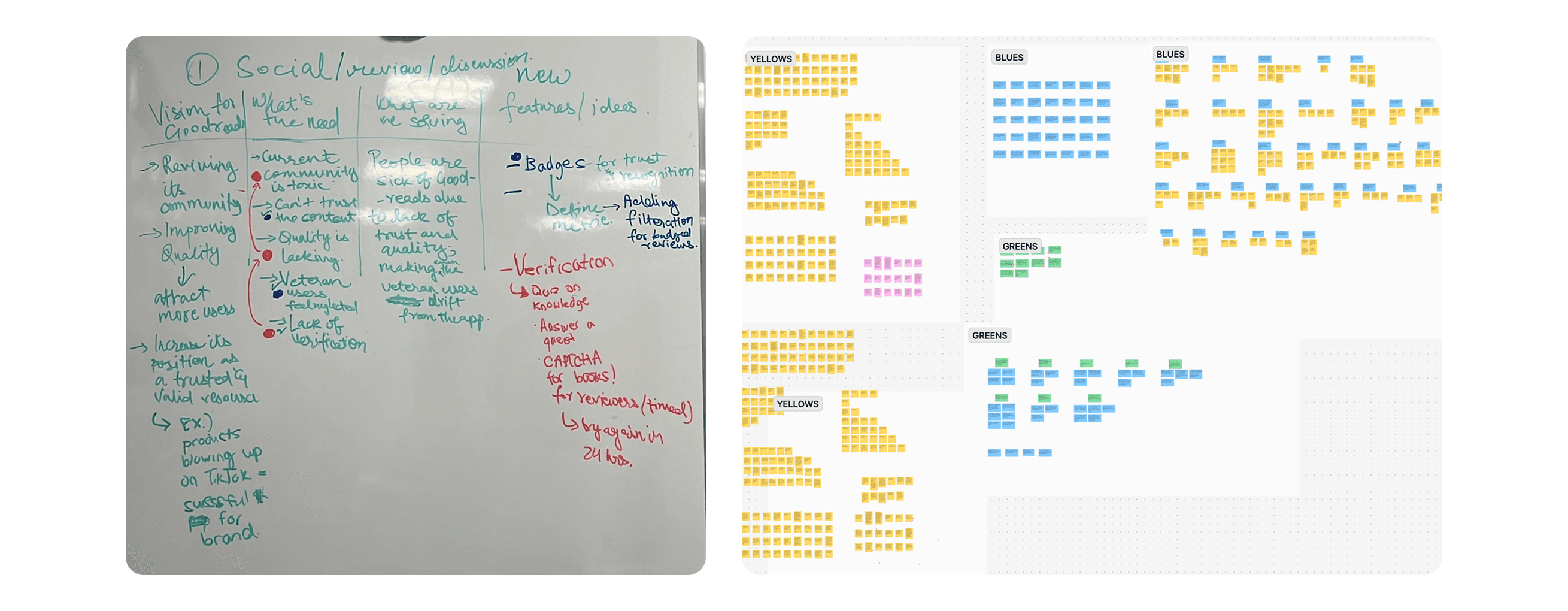
Ideation session & affinity mapping from user research
1. Book Nook — A Customizable Digital Bookshelf
Concept
A digital bookshelf designed for personal reading spaces.
For the Book Nook concept, we asked 13 participants to create their own digital bookshelves using a Figma-based setup. They could choose book styles, shelf layouts, and decorative elements such as plants and clocks.
Key Insight
Users enjoyed decorating and building their own libraries and found the process immersive and engaging. However, many participants felt that a realistic bookshelf layout was hard to scan at a glance and less efficient than a list-based view. Some users also felt overwhelmed by having too many tools without templates.
Design Decision
We shifted our focus from realism to efficiency, modularity, and structured customization.
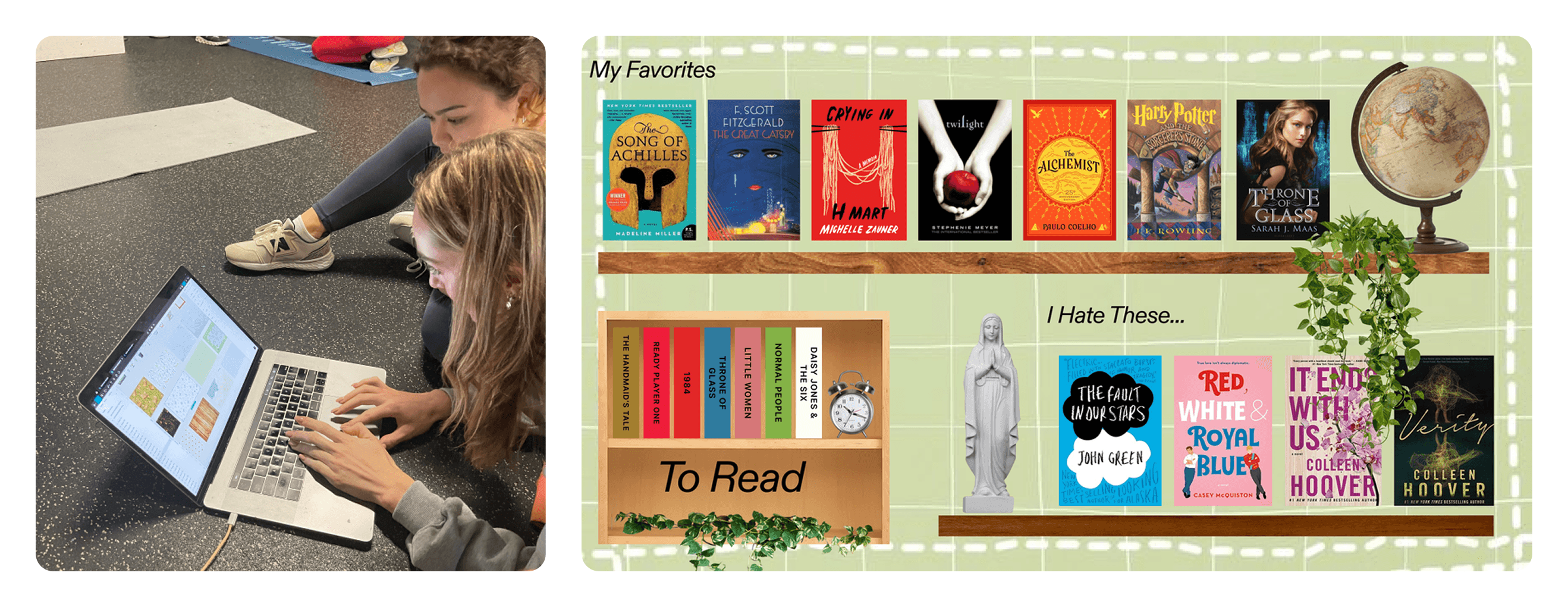
Concept testing session — bookshelf customization
2. Scrapbook — A Visual Review & Reflection Space
Concept
A visual space for emotional expression through reading.
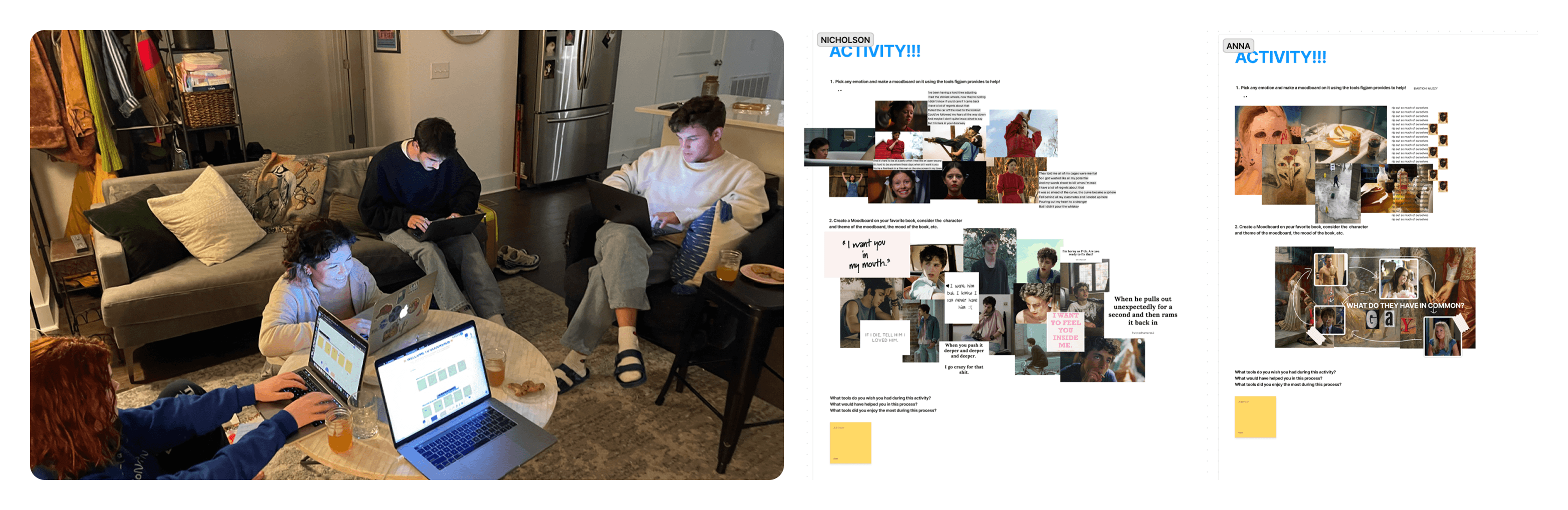
For the Scrapbook concept, we recruited 13 participants to create mood boards and reading reflections using FigJam tools such as pens, shapes, images, and stickers.
Key Insight
Participants enjoyed expressing emotions through images, emojis, and drawings. However, too many tools and too much freedom caused confusion and slowed down the process.
Design Decision
We reduced tool complexity and curated content sources to balance freedom with simplicity.
FINAL SOLUTION
The Final Design — Nook & Scrapbook
Our final solution combines both concepts into two core features: Nook and Scrapbook.
Design Principles
Simplicity, efficiency, and delight. We preserved the warm visual tone of Goodreads while refining the UI with a more structured, decorative, and emotionally engaging system.
Nook — Your Personal Digital Bookshelf
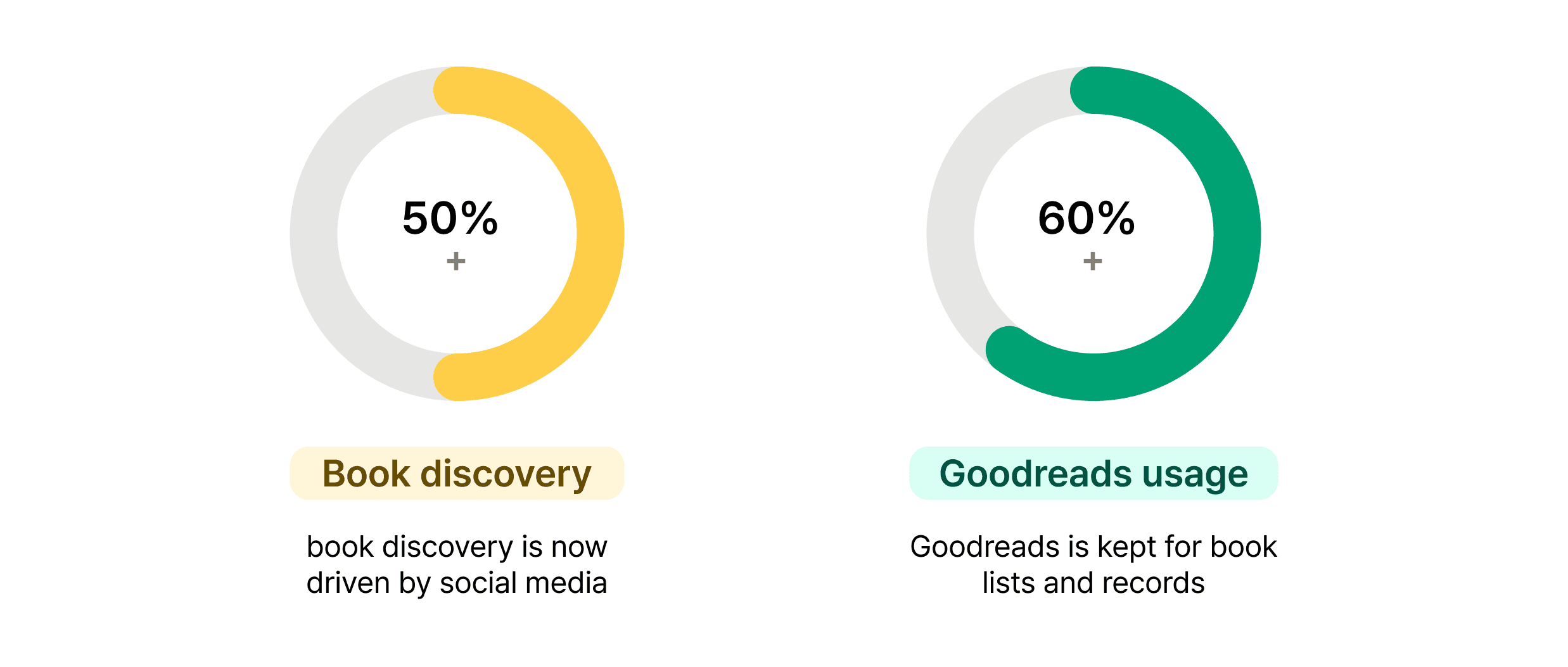
Nook is a modular digital reading space where users collect and arrange elements of their reading experience.
Key Features
Templates: Help users get started without feeling overwhelmed
Pockets: Modular blocks for book lists, quotes, thoughts, images, awards, and music
Editing System: Drag, resize, recolor, and rearrange pockets intuitively
Start with a template or a blank pocket
Choose from curated templates or build from scratch. Select a pocket type — bookshelves, quotes, images, music, and more — to begin shaping your space.
Start with a template or a blank pocket
Choose from curated templates or build from scratch. Select a pocket type — bookshelves, quotes, images, music, and more — to begin shaping your space.
Start with a template or a blank pocket
Choose from curated templates or build from scratch. Select a pocket type — bookshelves, quotes, images, music, and more — to begin shaping your space.
Start with a template or a blank pocket
Choose from curated templates or build from scratch. Select a pocket type — bookshelves, quotes, images, music, and more — to begin shaping your space.
Scrapbook — A Visual Review & Reflection Space
Scrapbook revitalizes the review system by allowing users to visually express their emotions and reflections.
Key Features
Physical Tools: Pens, highlighters, paper textures, stickers
Content Library: Images, music, and visual references
Share & Publish: Users can publish scrapbooks as creative reviews
How Scrapbook Works
1. Choose paper type and tools from the simplified toolbar
2. Freely express emotions using text, drawings, images, and music
A minimal toolbar, maximum expression
The toolbar keeps things simple on the surface, but offers a full range of tools underneath. Choose from paper types, fonts, pens, highlighters, stickers, images, and music. With the pen tool, you can fine-tune sharpness and sensitivity to match exactly how you want to write or draw.
Share your story, discover others
Scrapbooks can be published publicly, letting you share your reflections with the community. Browse other readers' scrapbooks and reviews to find new perspectives and inspiration.
IMPACT & LEARNINGS
Reflection
This project demonstrated how visual clarity and emotional engagement directly influence user trust and long-term platform usage. Through iterative research and testing, both Nook and Scrapbook evolved based on real behavioral feedback.
As the visual lead, I learned how design direction is shaped through collaboration, user validation, and strategic compromise rather than visual preference alone.